B2B Accounts & Customers
Vectis supports B2B wholesale accounts, B2C retail customers, and hybrid configurations through a channel-based commerce mode system.
Commerce Modes
Each channel operates in one of three modes:
| Mode | Behavior |
|---|---|
| B2B (wholesale) | Only authenticated account employees can browse and purchase. Full account hierarchy with locations, approval workflows, and payment terms. |
| B2C (retail) | Individual customers register and shop. Standard e-commerce experience with guest checkout option. |
| Hybrid | Both B2B accounts and B2C customers can use the same storefront. Pricing and features adapt based on the buyer type. |
The commerce mode is set per channel in Settings → Channels.
B2B Account Hierarchy
B2B accounts use a four-level hierarchy:
graph TD
    A[Account] --> L1[Location: Main Warehouse]
    A --> L2[Location: West Coast Office]
    L1 --> E1[Employee: Jane — Buyer]
    L1 --> E2[Employee: Mike — Approver]
    L2 --> E3[Employee: Sara — Admin]
    L1 --> AD1[Address: 123 Industrial Blvd]
L2 --> AD2[Address: 456 Commerce St]- Account — the company entity. Holds payment terms, tax exemption status, and customer group membership.
- Location — a physical or logical site (warehouse, office, branch). Each location can have its own pricing, tax exemption, and shipping addresses.
- Employee — an individual user who belongs to a location. Employees have roles that control what they can do (browse, order, approve, manage).
- Address — shipping and billing addresses attached to locations.
Account Status Progression
Accounts move through statuses 0–11: Prospect → Applied → Documents Pending → Under Review → Verification (4–7) → Approved → Active → Suspended → Closed. Not every deployment uses all statuses — the progression can skip steps.
Tip
Only Active (9) accounts can place orders. Monitor the Accounts → Pending Review queue to keep applications moving.
Customer Groups
Customer groups are tags that drive pricing and visibility:
- Pricing — groups map to the group-level pricing tier. Members of "Gold Distributors" see Gold pricing.
- Product visibility — product catalogs can be restricted to specific groups (e.g., "Controlled Substances" visible only to "Licensed Pharmacies").
- Promotion targeting — discount rules can use customer group as a condition.
An account can belong to multiple customer groups. The best price across all matching groups is used.
B2C Customers
B2C customers are a separate, simpler model:
- Registration — email and password, optional profile fields.
- Preferred currency — stored on the customer profile; the storefront defaults to this currency.
- Guest checkout — when enabled on the channel, buyers can complete checkout without registering.
Note
B2C customers do not have locations, employees, or approval workflows. For B2B features, use account registration.
Channel Configuration
Channels control the buyer experience:
| Setting | Options | Effect |
|---|---|---|
commerce_mode | b2b, b2c, hybrid | Determines which buyer types can access the channel |
login_wall_mode | open, login_required, login_to_price | Controls what anonymous visitors can see |
guest_checkout | true / false | Whether B2C guests can complete checkout without registering |
Login wall modes:
- Open — anyone can browse products and see prices.
- Login required — visitors must log in to see anything.
- Login to price — products are visible but prices are hidden until login.
Registration & Approval
B2B Account Registration
- Prospect fills out the registration form (company name, tax ID, contact info).
- State-by-state rules may require specific documents (resale certificates, business licenses).
- Documents are uploaded and attached to the account.
- The account enters the approval workflow — staff review in the admin panel.
- Upon approval, the account moves to Active status and employees can log in.
Document Upload
Registration can require document uploads (PDFs, images) that are stored in S3/MinIO. Required documents are configurable per jurisdiction.
Admin Panel
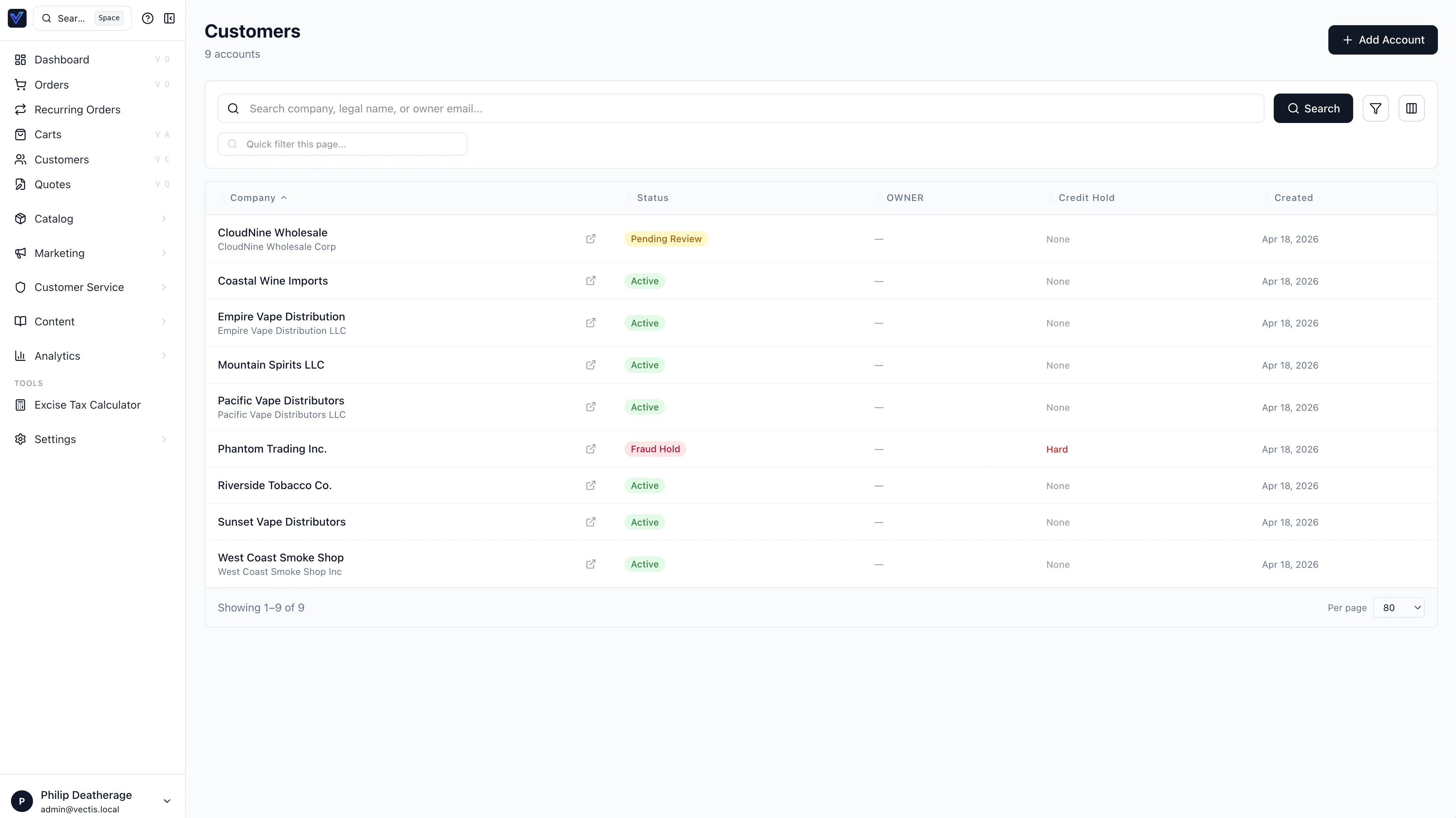
From Accounts in the admin:
- Account list — search, filter by status/group, view account details.
- Account detail — manage locations, employees, addresses, group memberships, and payment terms.
- Registration queue — review pending applications, request documents, approve or reject.
- Customer groups — create and manage groups, assign accounts.
- B2C Customers — separate list for retail customers, at Accounts → B2C Customers (
/accounts/b2c).
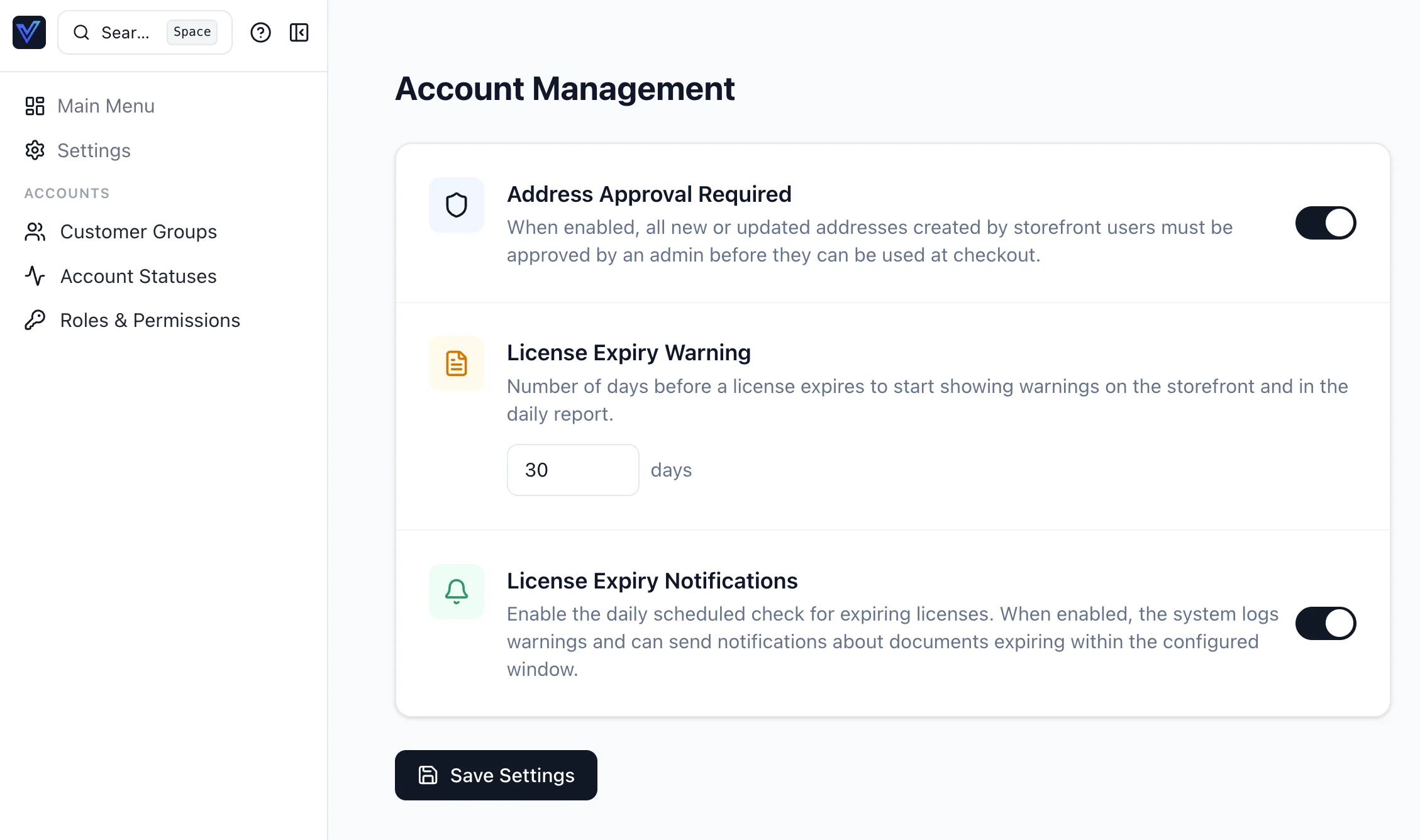
All account configuration lives under Settings → Accounts: Customer Groups, Account Statuses, Roles & Permissions, Approvals, Payment Terms, and Registration, plus the general controls (address approval, license expiry) on the landing page:
Location Archive + 3-Way Employee Reassignment
Locations can be archived rather than deleted. Archiving:
- Sets
Location.archived_at(the row stays for history) - Hides the location from the storefront switcher and from address pickers in checkout
- Triggers the 3-way employee reassignment flow: every employee attached to the archived location is moved to one of three destinations — another location in the same account, the account-default location, or marked inactive.
The admin Location Archive dialog walks staff through reassignment and refuses to archive until every employee has been routed. The audit log captures the old → new mapping per employee.
Storefront Location Switcher
B2B accounts with multiple locations can switch the active location from the storefront header without a full page reload. The setActiveLocation(locationId) mutation updates the session; subsequent cart writes attach to the new location. Address-bound prices, inventory, and tax all recompute from the new active location automatically.
The switcher widget honours the location's archived_at flag — archived locations are hidden from the picker.
Channel Context
The BFF forwards the active channel as the X-Channel-Slug header on every GraphQL request, so backend resolvers can scope queries to the right channel without re-deriving it. The channel switcher widget writes the chosen slug to a cookie; subsequent requests pick it up via the BFF helpers. The admin and storefront routes themselves stay flat — there's no /c/<slug>/ URL prefix; the slug travels in the header only.
When a request omits the slug (no cookie, no header), the BFF falls back to the user's home channel.