Analytics & Reports
Vectis ships a reporting module that backs every admin chart and report from a single aggregation layer. The nav item is labelled Analytics but the admin route is /reports — Analytics → Overview is the index page for every canned report:
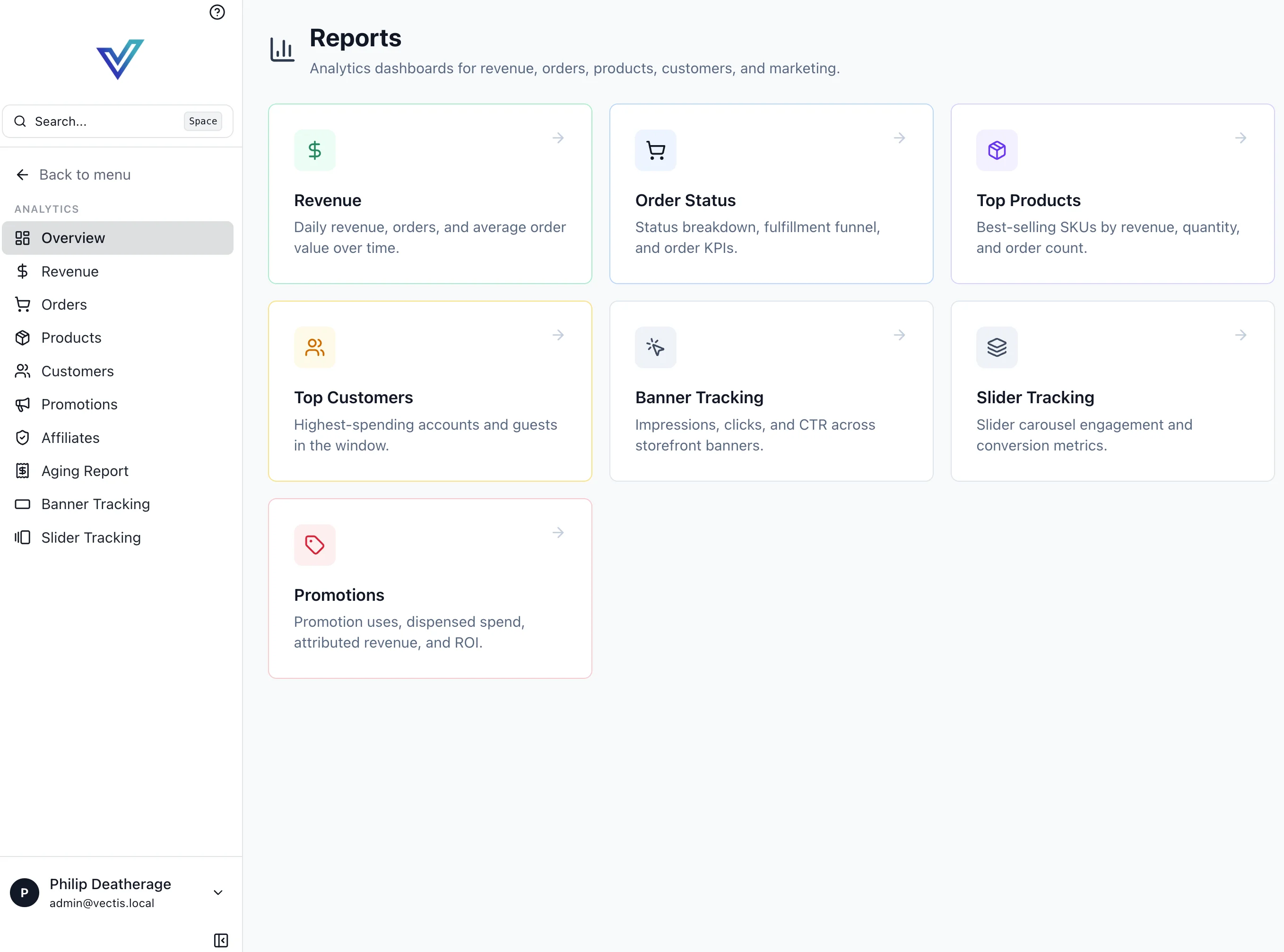
Each tile links to a date-ranged, channel-scoped report. Filters are shared across all reports — the date window and channel selector persist as you navigate.
Reports Catalog
Revenue
Daily revenue, order count, and average order value over time. The default window is 30 days with a per-channel breakdown. Exports as CSV with the raw day-level rows.
Order Status
Status breakdown (created, awaiting fulfillment, fulfilled, cancelled, refunded), fulfillment funnel, and order KPIs (unique buyers, repeat rate, fulfillment time p50/p90).
Top Products
Best-selling SKUs by revenue, quantity, and order count. Shows both variant-level and product-level rollups. Useful for finding hero SKUs and long-tail performers.
Top Customers
Highest-spending accounts and guest customers in the window. For B2B channels, this rolls up by account; for B2C, by customer.
Banner Tracking
Storefront banner performance: impressions, clicks, CTR, unique visitors, cart additions, purchases, and attributed revenue. Click a banner row for per-event logs. See Marketing → Banners for setup.
Slider Tracking
Same shape as Banner Tracking but grouped by slider with per-slide breakdown. See Marketing → Sliders.
Promotions
Cross-promotion performance: total uses, total dispensed spend, attributed revenue, and ROI per rule, plus an attribution breakdown. The Promotions page documents the per-promotion tab in full.
Aging Report
Outstanding receivables for B2B accounts on payment terms, bucketed by current / 30 / 60 / 90+ days past due. Feeds the dunning workflow.
Affiliates
Affiliate-program performance: top affiliates by attributed revenue, commission accrued vs paid, and pending payout totals. See Affiliates for program setup.
Filters
All reports accept the same shared filter bar:
| Filter | Behavior |
|---|---|
From / To | Inclusive date window |
Channel | All channels, or one specific storefront/B2B channel |
Currency | Transacted or base-currency view (multi-currency deployments) |
Export
Every report has a top-right Export CSV button that downloads the raw rows currently shown — always day-level detail, never pre-aggregated, so the file is safe to feed into a spreadsheet or warehouse.
Base vs transacted currency
By default totals render in the channel's base currency. Switch to the transacted-currency view for per-buyer breakdowns; switch to base for cross-currency aggregation. Dual amounts are always available on the underlying order records — see Orders → Multi-Currency.
Workflow Faults
Workflow faults are not part of the Analytics report catalog. They live on a standalone admin route, /workflow-faults, which mirrors the workflow-fault inbox (rows from the vectis.workflow.fault.v1 topic). Use it to spot trends — repeated approval_timeout, cascade_curation_invalid, or refund_execution_failed faults usually point to a misconfigured channel setting or a missing approver.
Developer Reference
The reporting module lives at backend/vectis/modules/reporting/ and exposes GraphQL queries matching each report card. Long-running aggregates are computed in Temporal workflows and cached; the admin UI subscribes through Houdini so filter changes re-fetch efficiently. Audit visibility is wired to the same Redpanda topics used for cross-service messaging — see Events.