Loyalty
Vectis has a built-in points-based loyalty program that earns on qualifying orders and redeems as a line-level discount at checkout.
The admin overview lives at Marketing → Loyalty:
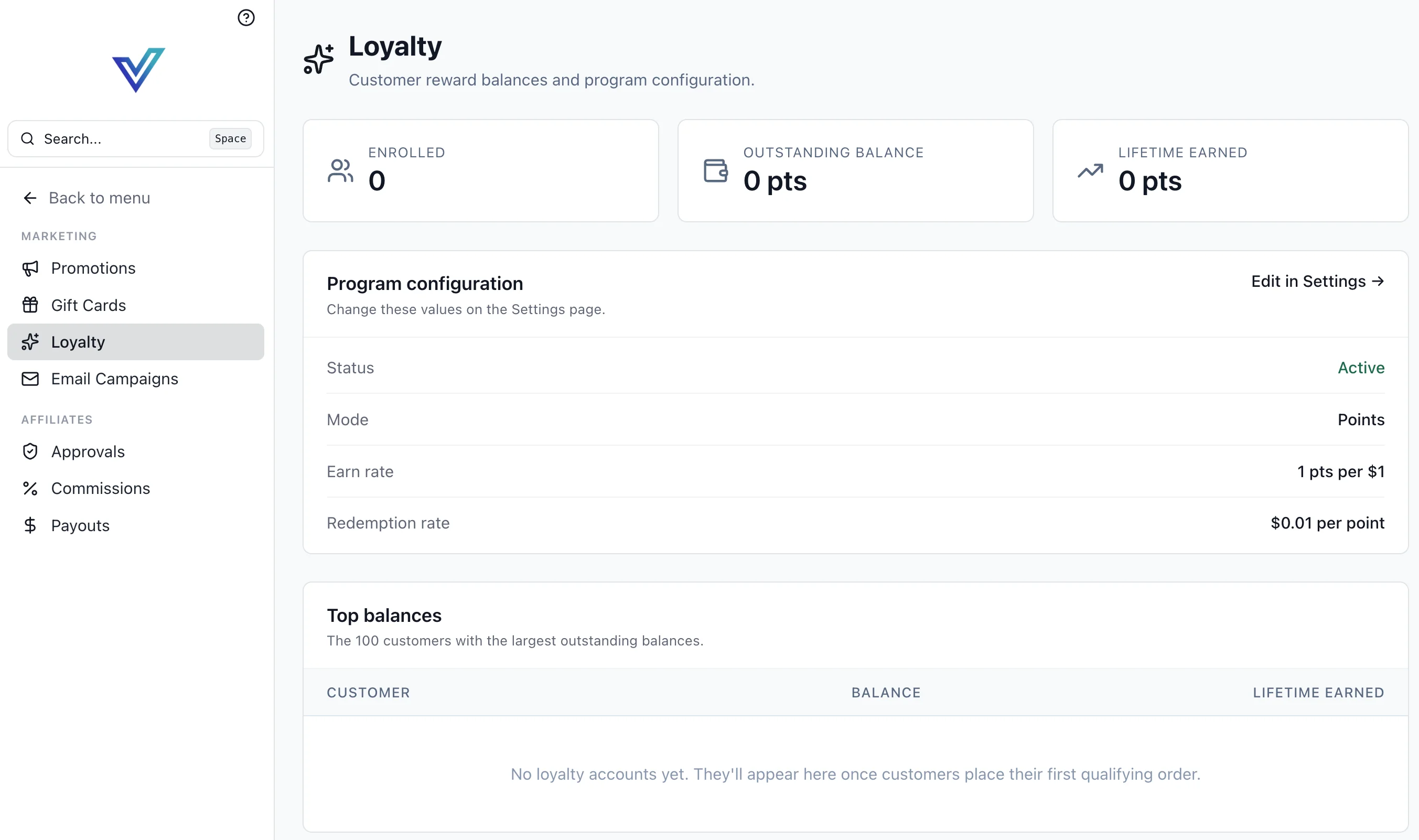
Three KPI tiles show the current state of the program (enrolled customers, outstanding point balance, lifetime points earned), followed by the active program configuration and a top-balances table.
Program Configuration
Loyalty is configured globally on the main Settings page (/settings) via the loyalty.enabled, loyalty.mode, loyalty.earn_rate, and loyalty.redemption_rate keys, and surfaces on this page (read-only — click Edit in Settings → to change values):
| Field | Meaning | Default |
|---|---|---|
Status | Program active or paused | Active |
Mode | points (current) — future modes may add cashback or tiered | Points |
Earn rate | Points earned per $1 of qualifying order subtotal | 1 pts per $1 |
Redemption rate | Dollar value of each point at checkout | $0.01 per point |
Disabling vs deleting
Setting status to paused stops new earn and redemption but preserves existing balances. There is no destructive "delete program" action — point history is retained for audit.
Earning Points
Points are credited when an order transitions to a qualifying state (by default AwaitingFulfillment or later). The service calculates:
order_subtotal excludes tax, shipping, and prior-applied store credit by default. Earning is driven by an event subscriber that reacts to order.placed — the loyalty module does not emit its own loyalty.* events.
Redeeming Points
Customers redeem at checkout via a cart-level action. The redeemable amount is capped by the current balance:
The redemption becomes a line on the order, allocated across items the same way any other cart-level discount is. Cancelling the order returns the points to the customer's balance automatically.
Balance Management
Every change to a customer's balance writes a LoyaltyTransaction row with kind ∈ earn | redeem | adjust | expire. The ledger is the source of truth — the balance column is a materialized sum.
Staff can issue manual adjustments from the customer detail page (positive for bonuses, negative for corrections). Each adjustment requires a reason that is persisted on the transaction for audit.
Top Balances
The Top balances panel lists the 100 customers with the largest outstanding balances — a quick read on program liability and who your highest-engagement customers are. Click through to the customer detail for the full transaction history.
Developer Reference
Loyalty internals live in backend/vectis/modules/loyalty/:
models.py—LoyaltyAccount,LoyaltyTransactionservices.py—LoyaltyService(earn_for_order, redeem, adjust, list_transactions)events.py—order.placedsubscriber (handle_order_placed) that credits points
Loyalty attaches to the checkout pipeline via an order.placed event subscriber — see Events & Messaging.