Promotions & Coupons
Vectis promotions let you create discount rules that apply automatically or via coupon codes. Promotions are evaluated during checkout and allocated per line item on the resulting order.
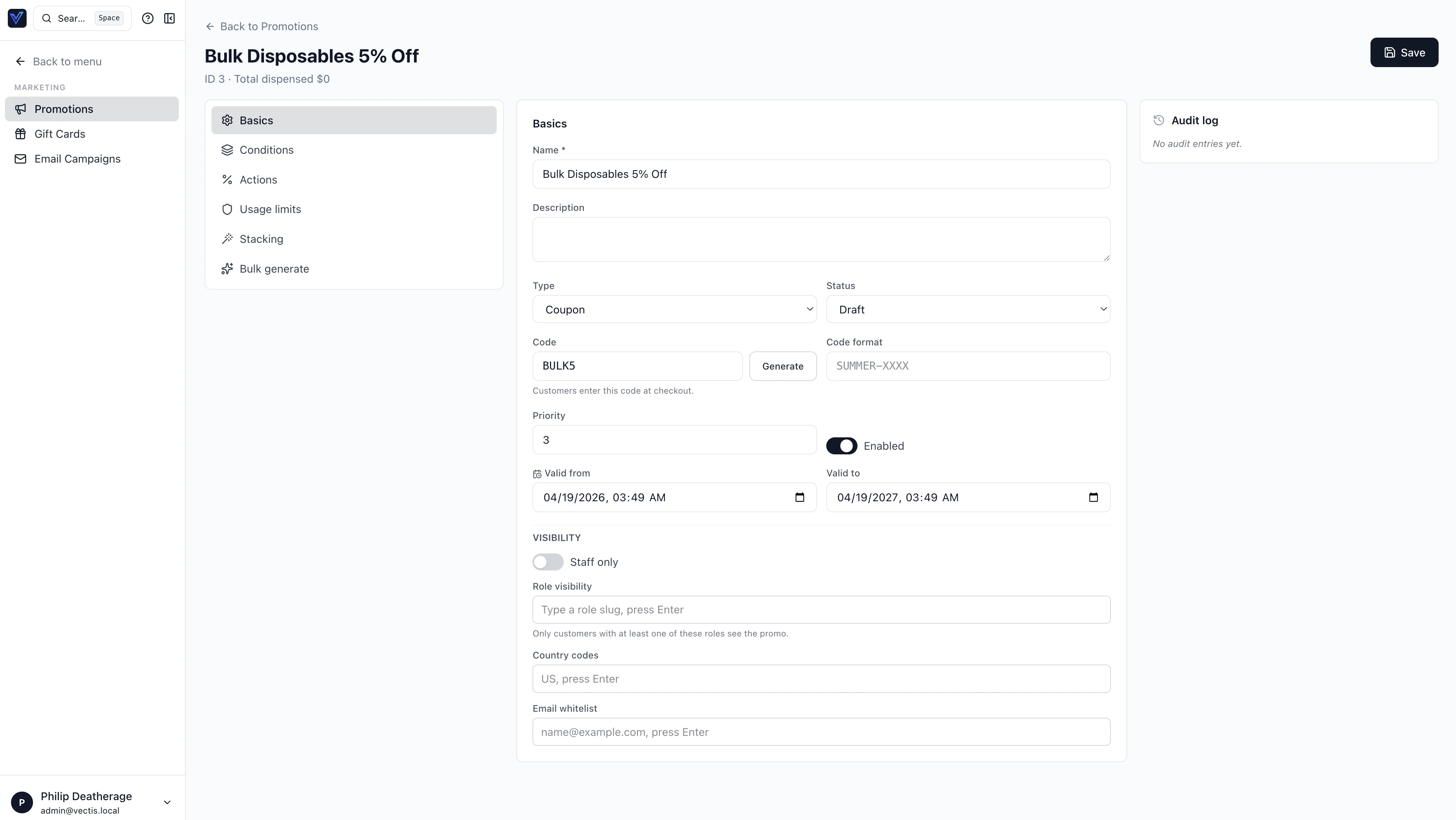
Discount Rules
Every promotion is a discount rule composed of two parts:
- Conditions — criteria that must be met for the rule to activate.
- Actions — the discount applied when conditions are satisfied.
Conditions
Conditions can be combined. The Add condition dialog groups built-in conditions by scope (cart, products, customer, and more):
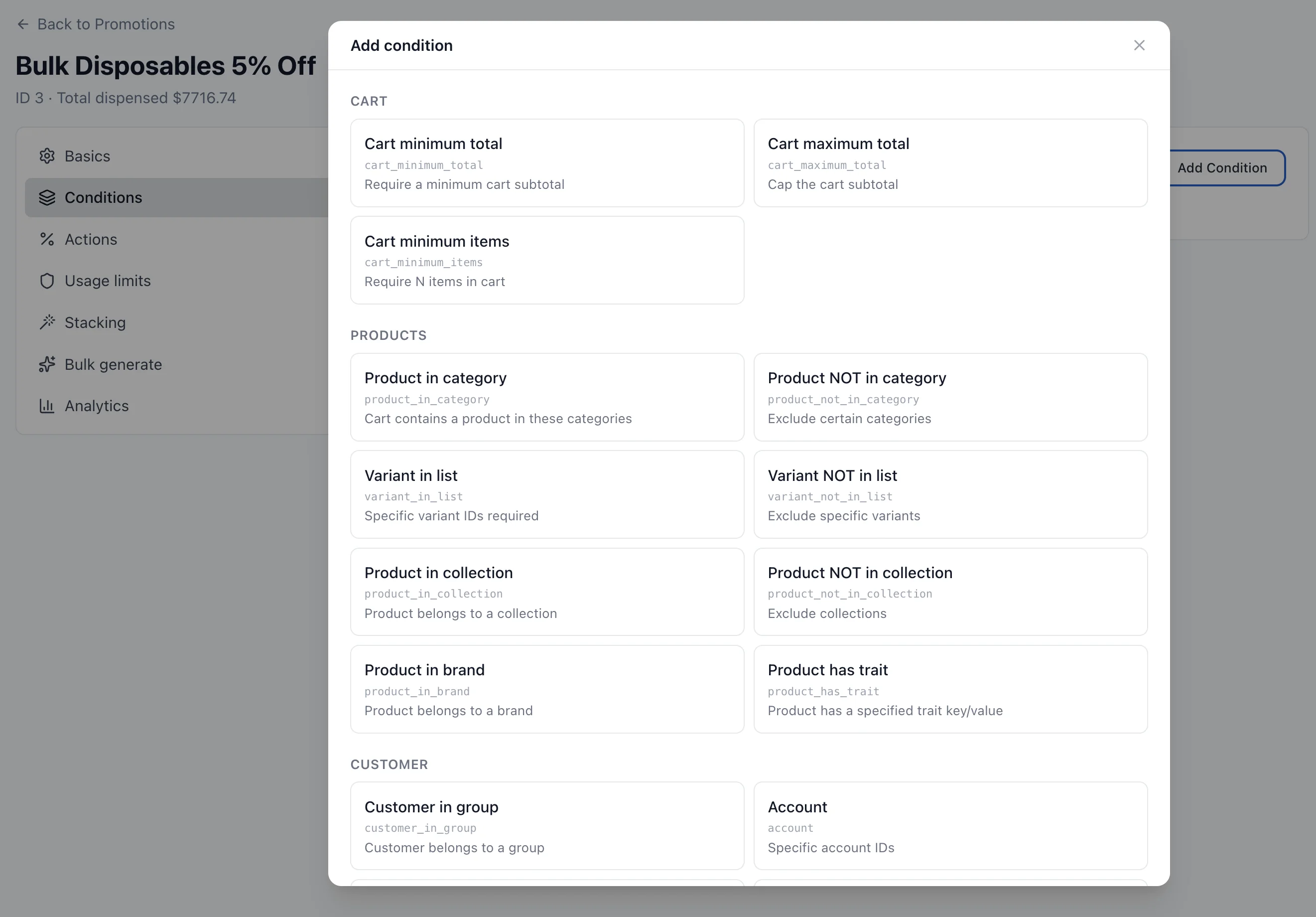
Common condition types:
| Condition | Example |
|---|---|
| Cart minimum | Order subtotal ≥ $500 |
| Customer group | Buyer belongs to "Gold Distributors" |
| Product category | Cart contains items from "Safety Equipment" |
| Specific products | Cart contains SKU WIDGET-100 |
| Date range | Between Jan 1 and Jan 31 |
| Minimum quantity | At least 20 units of qualifying items |
Actions
The Add action dialog exposes every built-in discount type:
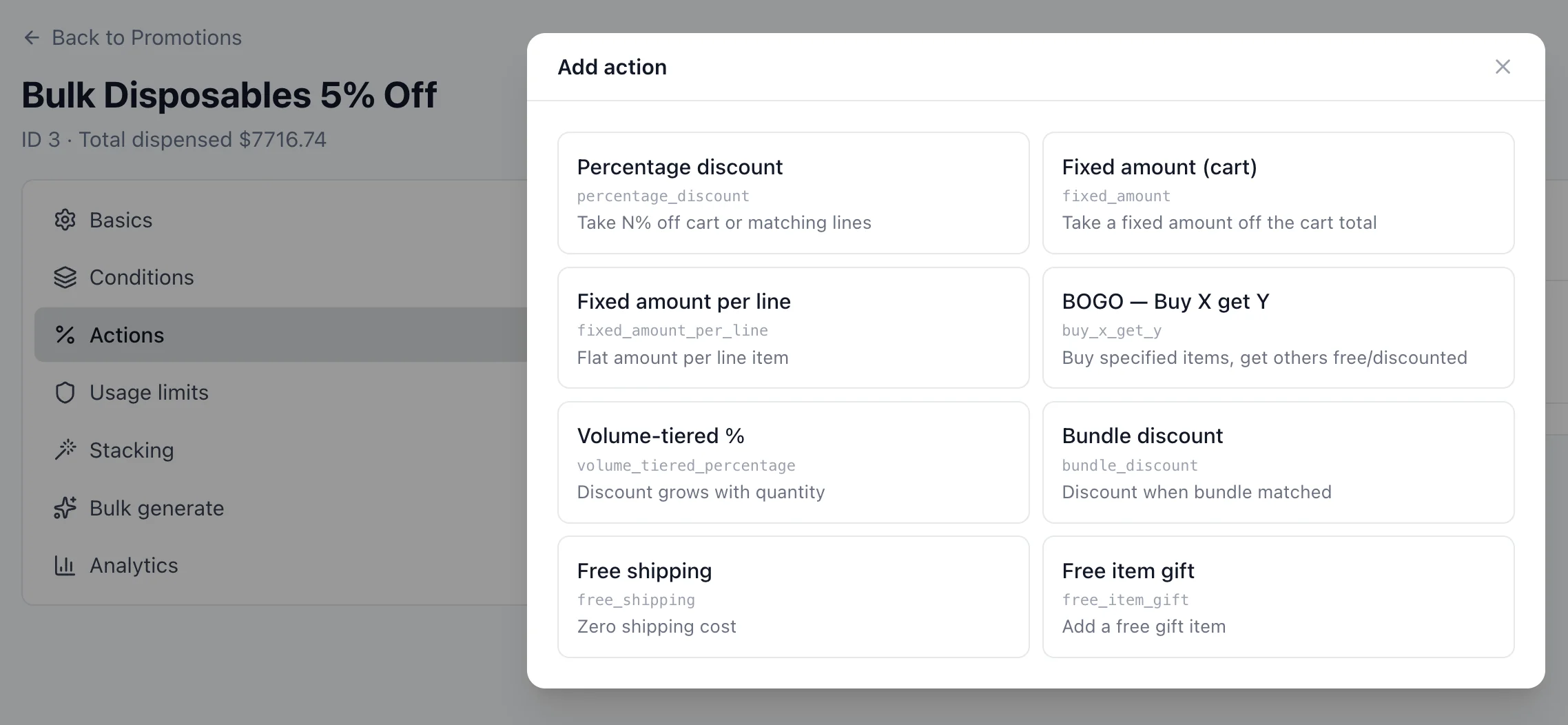
| Action (identifier) | Behavior |
|---|---|
percentage_discount | Reduce qualifying line items by X% |
fixed_amount | Reduce the order by a flat amount (cart-level) |
fixed_amount_per_line | Reduce each qualifying line by a flat amount (× quantity) |
volume_tiered_percentage | Discount percentage grows with quantity |
bundle_discount | Discount activates when a bundle is matched |
buy_x_get_y | Buy X, get Y free (or at reduced price) |
free_shipping | Free or discounted shipping (see below) |
free_item_gift | Add a free gift item to the cart |
Shipping Discounts (free_shipping)
The free_shipping action supports three discount types and two checkout display modes:
- Discount type — Free shipping, $ amount off, or % off the shipping rate, with an optional max discount dollar cap.
- Eligible shipping methods — the promotion declares exactly which methods it applies to. Leave all unchecked to apply only to promo-gated methods (methods with "Requires promotion" enabled — typically the standard "Free Shipping" method). Or check specific methods to discount those. Either way, methods outside the scope keep their normal price — a free-shipping promotion never silently zeroes an expensive LTL or overnight quote.
- Checkout display:
- Just show "Free shipping" (banner) — the checkout shipping area shows a single "Free shipping" card instead of the method picker; the cheapest eligible method is selected behind the scenes so the order still carries a real carrier and method. Only available for unscoped full-free discounts.
- Let the buyer pick a method (methods) — the normal rate list renders with eligible methods showing the discounted price, original struck through, and a promo badge.
Promo-gated methods: a shipping method marked Requires promotion (Settings → Shipping → Providers & Methods) is hidden at checkout until an active free-shipping promotion applies to it. This is how the standard "Free Shipping over $X" pattern works: the Free Shipping method is assigned to zones like any other method (and can be restricted by customer group via restriction rules), but only appears when the promotion's conditions are met. See Shipping & Fulfillment for the method-side configuration.
The buyer-facing rate list, the order summary, and the placed order all compute the discount from the same server-side helper, so the price shown is always the price charged. A promo-gated method submitted at checkout without a qualifying promotion is rejected server-side and re-priced from the normal rate lookup.
Coupon Codes vs Automatic Promotions
| Type | How it activates | Use case |
|---|---|---|
| Coupon code | Buyer enters the code at checkout | One-time offers, partner deals, targeted campaigns |
| Automatic | Evaluated on every cart that meets conditions | Site-wide sales, volume discounts, loyalty rewards |
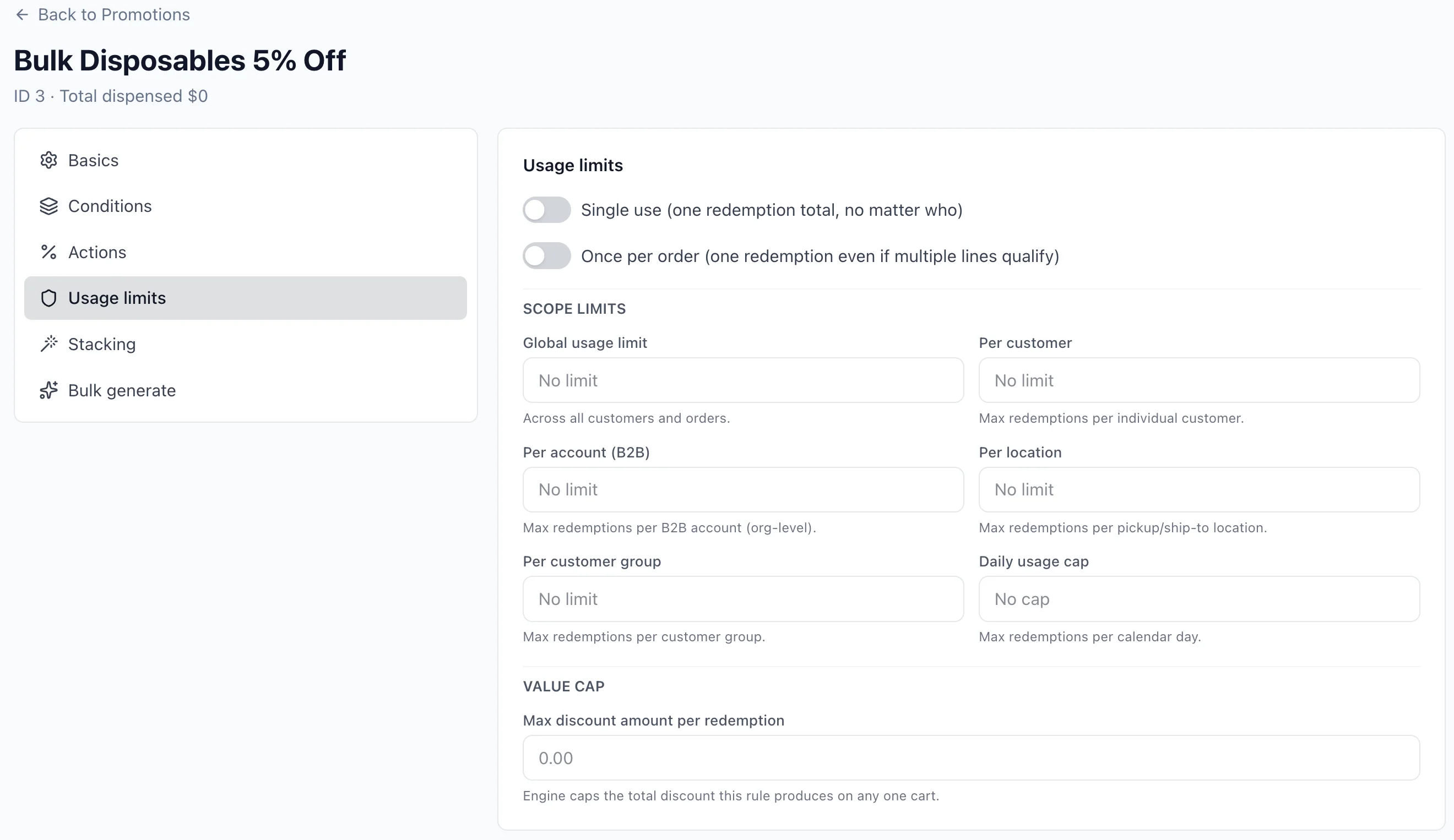
Coupon codes can have a usage limit (total redemptions) and a per-customer limit. The Usage limits tab exposes global, per-customer, per-account (B2B), per-location, per-group, and daily caps, plus a max_discount_amount value cap — a single per-rule ceiling on the total discount the rule may apply (the engine scales the rule's allocations down proportionally when they would exceed it). A limit of 0 or empty means unlimited — only a positive number is enforced as a cap (imported rules commonly store 0 for "no limit"):
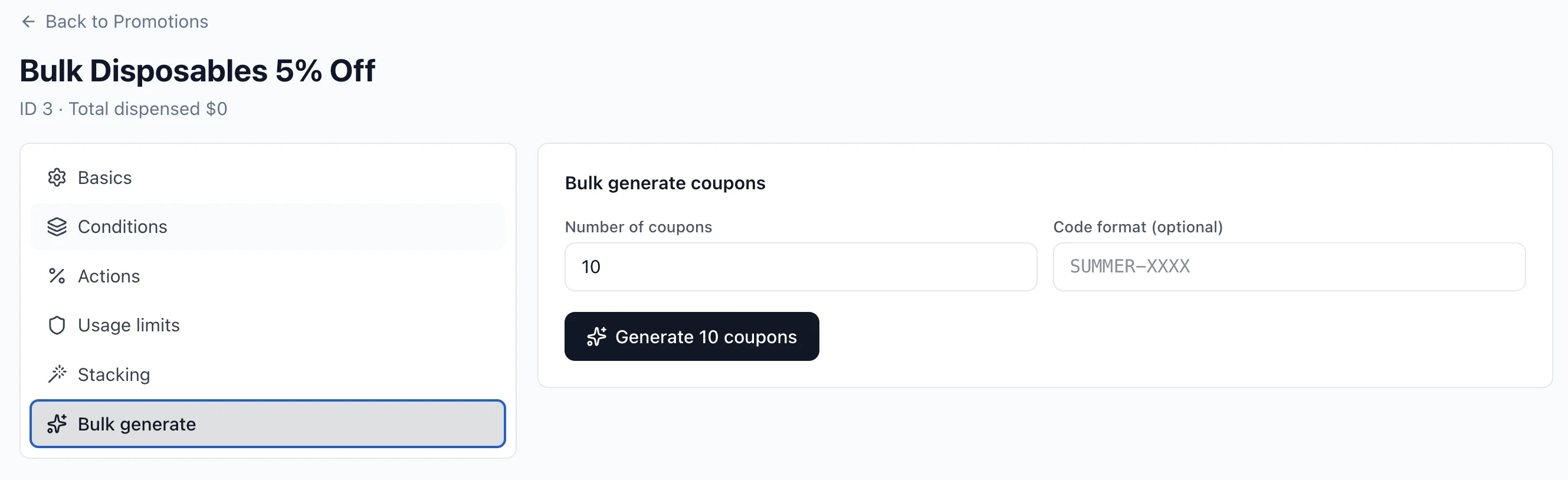
For campaigns that need many unique codes, Bulk generate produces N coupons from a template:
Stacking and Priority
When multiple promotions match a cart, stacking rules determine which apply:
- Exclusive — only this promotion applies; all others are ignored. Use for "best deal wins" scenarios.
- Stackable — combines with other stackable promotions inside the same stack group.
Promotions are evaluated in priority order (lower number = higher priority). If an exclusive promotion matches, the system stops and applies only that one.
Phase-Based Engine
Promotions evaluate in ordered phases so allocation distributes correctly across the BOGO, line, order, and shipping surfaces. Each phase's output is frozen before the next phase reads it. The phase constants (vectis/modules/promotion/engine.py) are:
| Phase constant | Value | What it touches |
|---|---|---|
PHASE_BOGO | −10 | buy_x_get_y — computes the free/reduced "get" items first so later phases can skip them |
PHASE_LINE | 0 | Line-item discounts (percentage, per-line fixed, volume-tiered, bundle) |
PHASE_ORDER | 10 | Order-level fixed-amount discounts, optionally redistributed across lines via distribute_order_discount |
PHASE_SHIPPING | 20 | Shipping waivers / discounts (free_shipping) |
Within a stage, the engine groups stackable promotions by stack_group — promotions in the same stack group are mutually exclusive (only the highest-priority one wins), promotions in different stack groups stack additively. A configurable $0 floor prevents any individual order line from going negative, even when multiple discounts pile up.
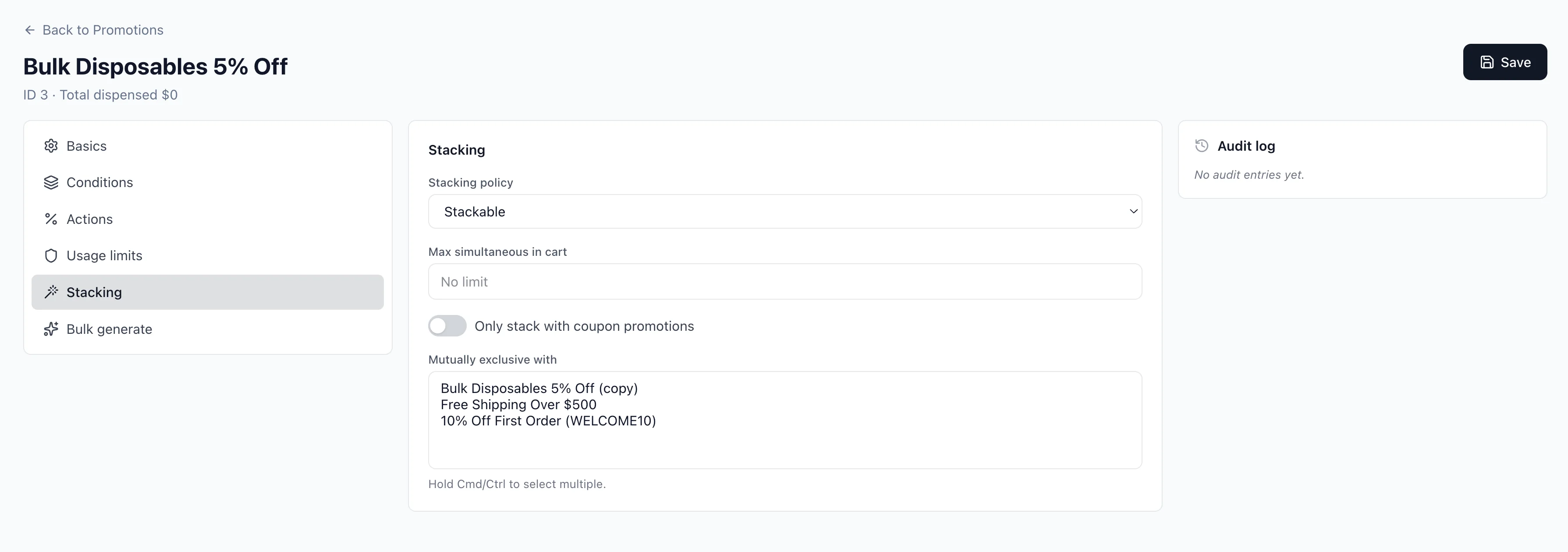
The Stacking tab controls the stacking policy, max simultaneous-in-cart, and mutually-exclusive sibling promotions:
Tip
Set your best blanket discount (e.g., "20% off everything") as exclusive with high priority. Stackable promotions work well for layered discounts like "free shipping + 5% category discount."
Cart Integration (GraphQL)
Storefront code applies and removes coupons with these mutations. They operate on the session cart — there is no cartId argument — and return the updated CartType directly:
mutation {
  applyCoupon(code: "SUMMER20") {
    id
    appliedCoupons
    discountTotal { amount currency }
  }
}

mutation {
  removeCoupon(code: "SUMMER20") {
    id
    discountTotal { amount currency }
  }
}
The cart.appliedCoupons field lists all active coupon codes. Automatic promotions appear in cart.appliedPromotions, and the running discount is cart.discountTotal.
Storefront Offer Display
Merchants can advertise a promotion on the storefront by toggling two flags in the promotion editor:
- Show on product page (
show_on_product) — surfaces the offer as a ticket card on products the rule specifically targets (variant, category, brand, or collection scope, or a BOGO buy/get pool), viaproductAvailableOffers(productId). Cart-wide promotions — e.g. sitewide 10% off or a min-spend coupon with no product scope — never appear on product pages, even with this flag on: they aren't related to any specific product. - Show on cart (
show_on_cart) — surfaces the offer in the cart's "Available Offers / Available Coupons" grid, viacart.availableOffers. This is the right surface for sitewide/cart-wide promotions.
Only active, in-window, non-staff rules are ever exposed. Coded coupons show their code with an Apply button and copy-to-clipboard; a coupon already on the cart shows Applied. An automatic rule shows Applies automatically until the cart actually triggers it (its conditions are met and it allocates a discount), at which point it flips to Applied — the badge always reflects the real evaluation, never just the rule type. Offers within three days of expiry get an urgency line.
Offers scoped to specific products or categories are clickable: variant-scoped rules (e.g. a BOGO's buy pool) deep-link to the product page, category-scoped rules to the filtered product listing (cart.availableOffers[].linkUrl). Cart-wide offers carry no link.
BOGO Gift Selection
buy_x_get_y rules reward through an interactive gift picker. The behavior is driven by Gift selection in the editor:
auto— the first eligible in-stock reward variant is claimed automatically.customer_choice— when two or more reward variants qualify, the shopper picks which free items to claim (with quantity steppers) from the cart's gift selector; a single eligible reward auto-claims.
Claimed gifts are added to the cart as distinct free lines (isFree = true) rather than discounting an existing line, so each claimed gift is visible and removable. Choices persist in cart.bogoChoices and are surfaced through cart.bogoEntitlements. The claim path is the only reward path: the engine never auto-discounts a paid line that happens to sit in the get pool, and claimed free lines never count toward the buy requirement.
In the cart, free gift lines render with the price struck through and FREE in its place; their quantity is locked (changed only through the gift selector's Change flow), and the selector folds to a one-line summary once every gift is claimed.
If a shopper still has unclaimed gifts when they head to checkout and the business setting promotion.warn_checkout_unclaimed_gifts is on, the storefront intercepts the cart→checkout navigation with a modal offering Pick for me (autoPickBogoGifts), Let me pick (jumps to the cart gift selector), or No thanks (dismissUnclaimedBogoGifts, then proceeds). A deep link straight to checkout shows a fallback banner linking back to the cart.
Checkout Allocation
When checkout completes, each matching promotion writes allocations to individual order lines:
- Every line item records which promotions contributed and how much was discounted.
- The order's
discount_totalis the sum of all allocations. - This per-line granularity supports accurate tax calculation (tax is computed on the discounted price).
Note
Promotion allocations are immutable after order creation. Editing a discount rule does not retroactively change existing orders.
Analytics
Promotion performance is tracked at two levels: a cross-promotion overview report and a per-promotion Analytics tab.
Promotion Analytics report
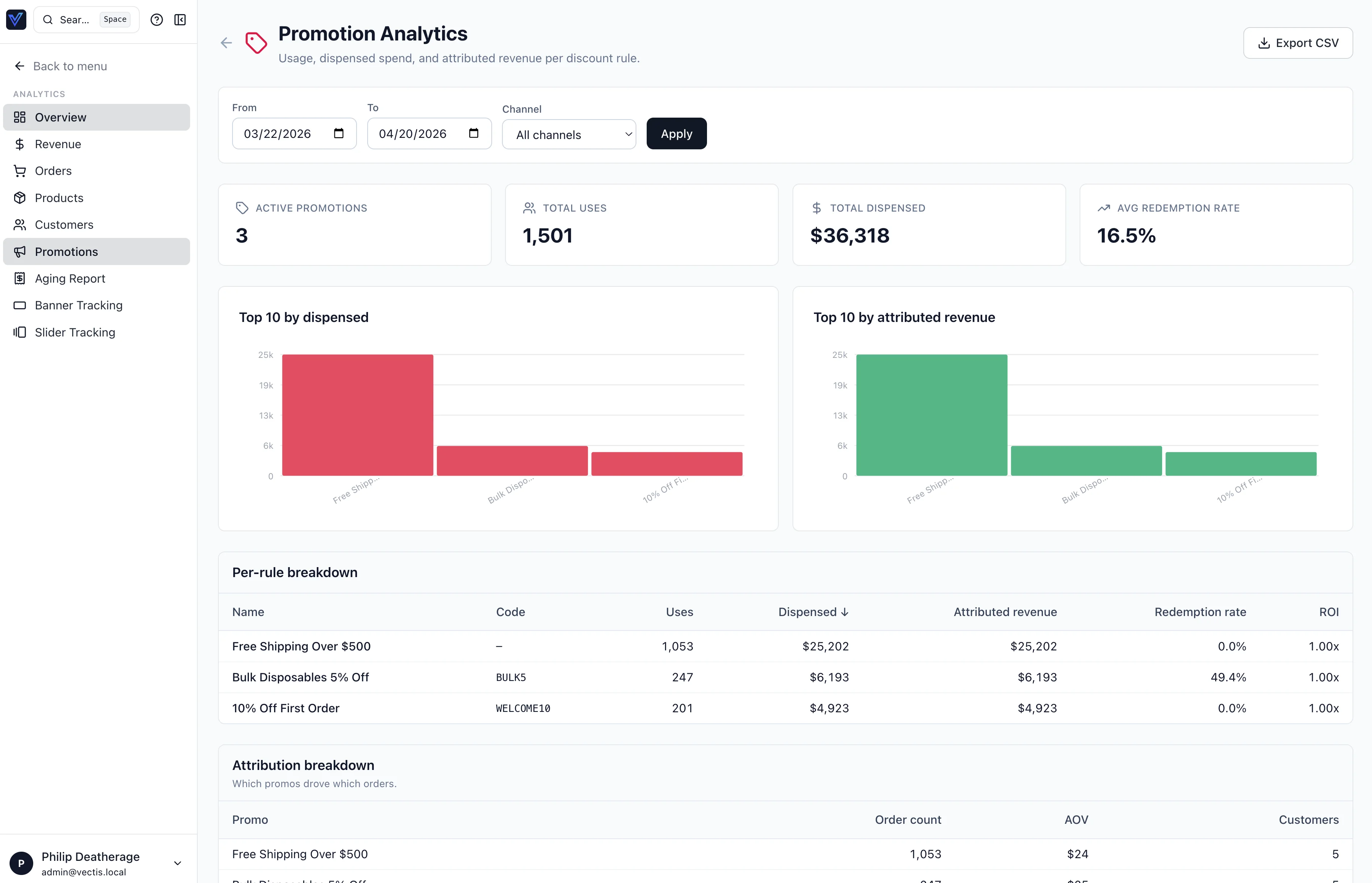
Analytics → Promotions is a date-ranged, channel-filtered overview across every active discount rule. It surfaces four headline KPIs (active promotions, total uses, total dispensed, average redemption rate), Top 10 charts by dispensed value and attributed revenue, a per-rule breakdown table (uses, dispensed, attributed revenue, redemption rate, ROI), and an attribution breakdown (order count, AOV, customers per promo). Results are exportable as CSV.
Per-promotion Analytics tab
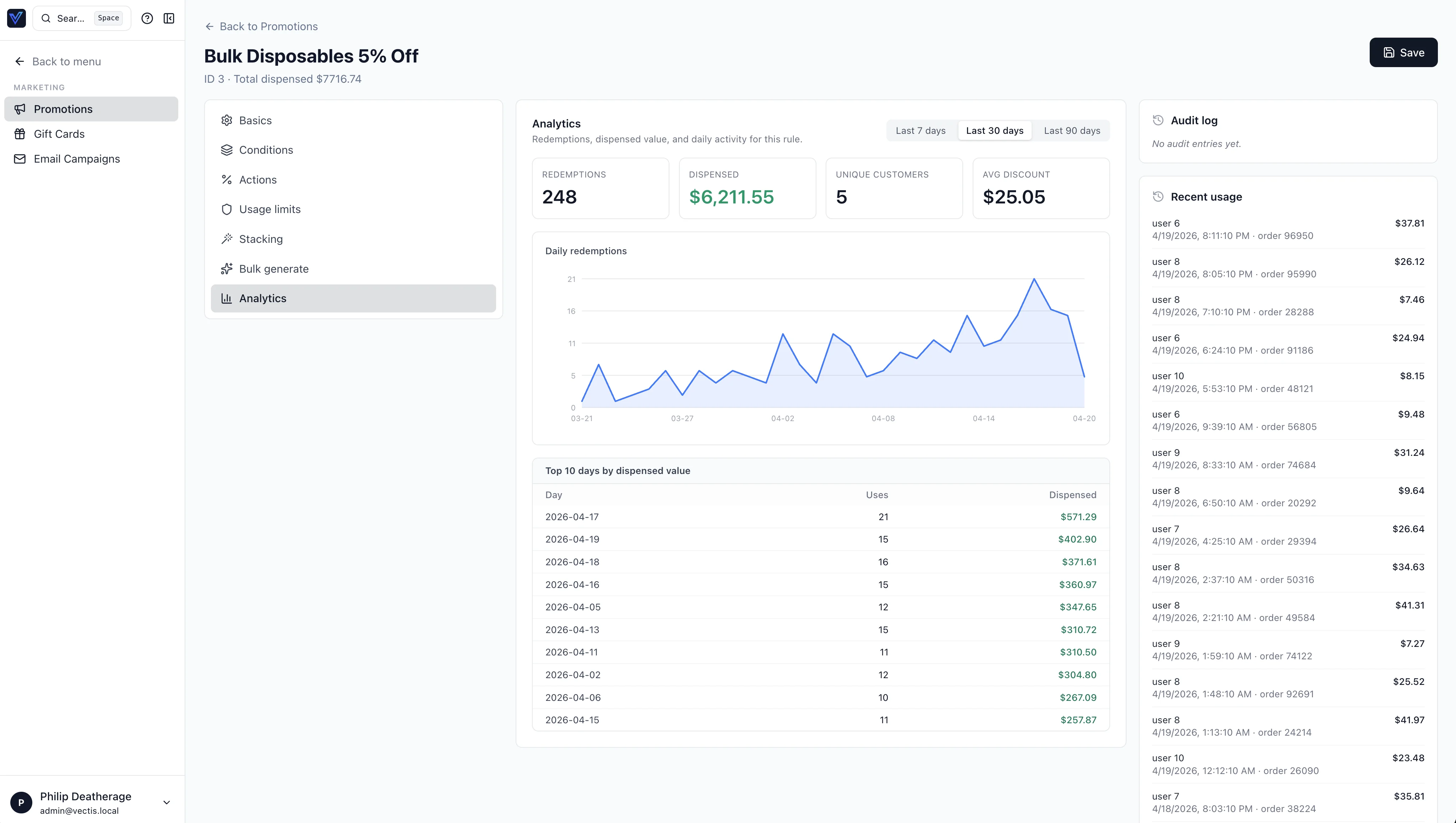
Each promotion's editor has its own Analytics tab scoped to that single rule. It shows redemptions, dispensed value, unique customers, and average discount; a daily redemptions chart with 7/30/90-day windows; a Top 10 days by dispensed value table; and a recent-usage sidebar with the latest order-level redemptions.
Admin Panel
From Marketing → Promotions in the admin:
- Create / edit discount rules — set name, priority, date range, and exclusive/stackable flag.
- Configure conditions — add one or more condition types with their parameters.
- Configure actions — choose the discount type and amount.
- Manage coupon codes — generate single codes or bulk batches. Set usage limits.
- View performance — see how many times a promotion has been used and total discount given.
Warning
Deleting a promotion does not affect existing orders, but it immediately stops applying to new carts. Use the date range or disable toggle to end a promotion gracefully.
Enforcement vs Observability
A discount rule is classified as enforcement-bearing or observability-only via the is_enforcement_bearing property on DiscountRule (vectis/modules/promotion/models.py):
- Enforcement-bearing — the rule sets a limit that would let a customer double-redeem if its usage row were missing:
single_use,once_per_order, anyusage_limit_*column, or adaily_usage_cap. Usage tracking is mandatory for these. - Observability-only — the rule sets none of those limits (e.g., pure analytics counters or A/B buckets), so
is_enforcement_bearingreturnsFalseand a missing usage row has no double-redemption consequence.
This split lets the redemption path know which usage rows are load-bearing for correctness versus purely for reporting.